Targets, forecasts and document signing
Set targets for the month, see how it will end with the forecast, request documents with a link and get your team to sign without printing anything.
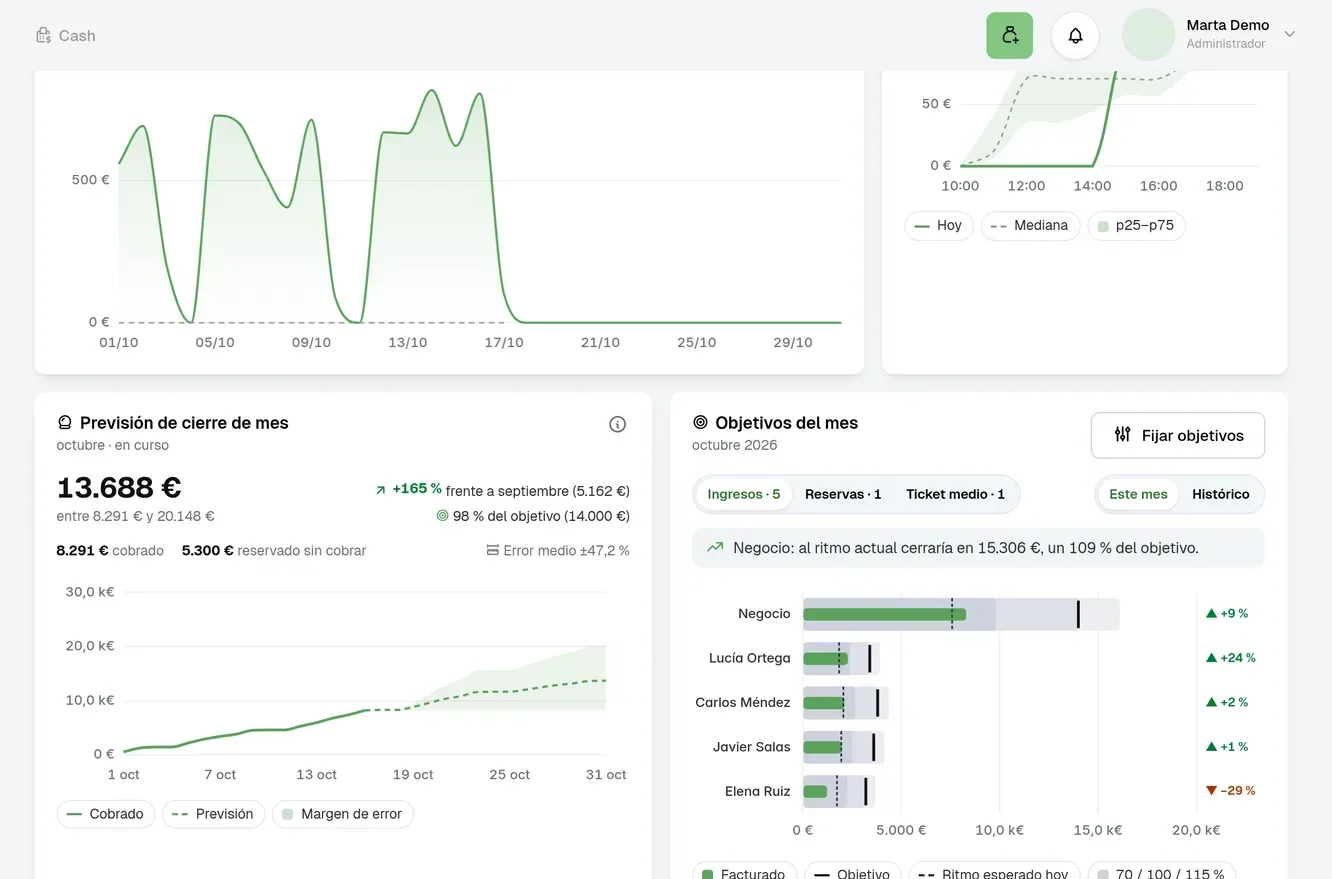
This update brings together several things you'd asked us for: knowing whether you're on track for the end of the month, no longer chasing documents by email and signing paperwork without printing it. Here's what's new and where to find it.
Monthly targets
In the checkout module you can set monthly goals for revenue, bookings or average ticket, for the whole business or for each professional. Each target shows how far you've got and the pace you need to hit it by the end of the month.
- Each professional's targets are set by their manager, and each person sees their own.
- You create and change them with the «Fijar objetivos» (Set targets) button.
Month-end booking forecast
The bookings dashboard now includes a forecast of how the month will end. It combines the appointments already booked for the remaining days with what usually happens on each day of the week in your business. That way you know in good time whether it's worth running a promotion or opening more slots.
Request files with a link
In Files you can create, from any folder, a link so that someone without an account, such as a client or your accountant, can upload documents for you. Whoever opens the link can only upload: they can't see anything already in the folder.
- You can limit how long it lasts, the number of files, their size and the file types allowed.
- You can protect it with a password.
- In «Archivos recibidos» (Files received) you see who uploaded each file, and «Desactivar» (Deactivate) closes the link when you no longer need it.
Document signing
Open a PDF in Files and click «Pedir firma» (Request signature) to have one or more people on your team sign it, with a message and a deadline if you like. Each signer gets a notification and signs from «Firmas» (Signatures), either by drawing their signature or with a code.
Every signature adds an evidence page with the date, IP address, browser and document fingerprint, and is saved as a new protected version. It's a simple electronic signature under the EU eIDAS regulation, and «Verificar» (Verify) checks that the signed PDF hasn't been altered since. All the details are on Files & e-signature.
Other changes
- Website editor: you can now undo and redo every change with Ctrl+Z and Ctrl+Shift+Z, and «Duplicar» (Duplicate) creates a draft copy of a page so you can try out changes without touching the live one.
- Compliance report: from the audit log you can generate a report for any period with users, permission changes, support access, data exports and failed logins. It helps you review security or respond to a data protection audit. More on security.
- Clearer messages: if something can't be saved, the dashboard tells you in plain language what happened and what to check.
Measure your business month by month
Targets, forecasts and monthly reports in one place, using the data from your checkout and your calendar.
You may also like
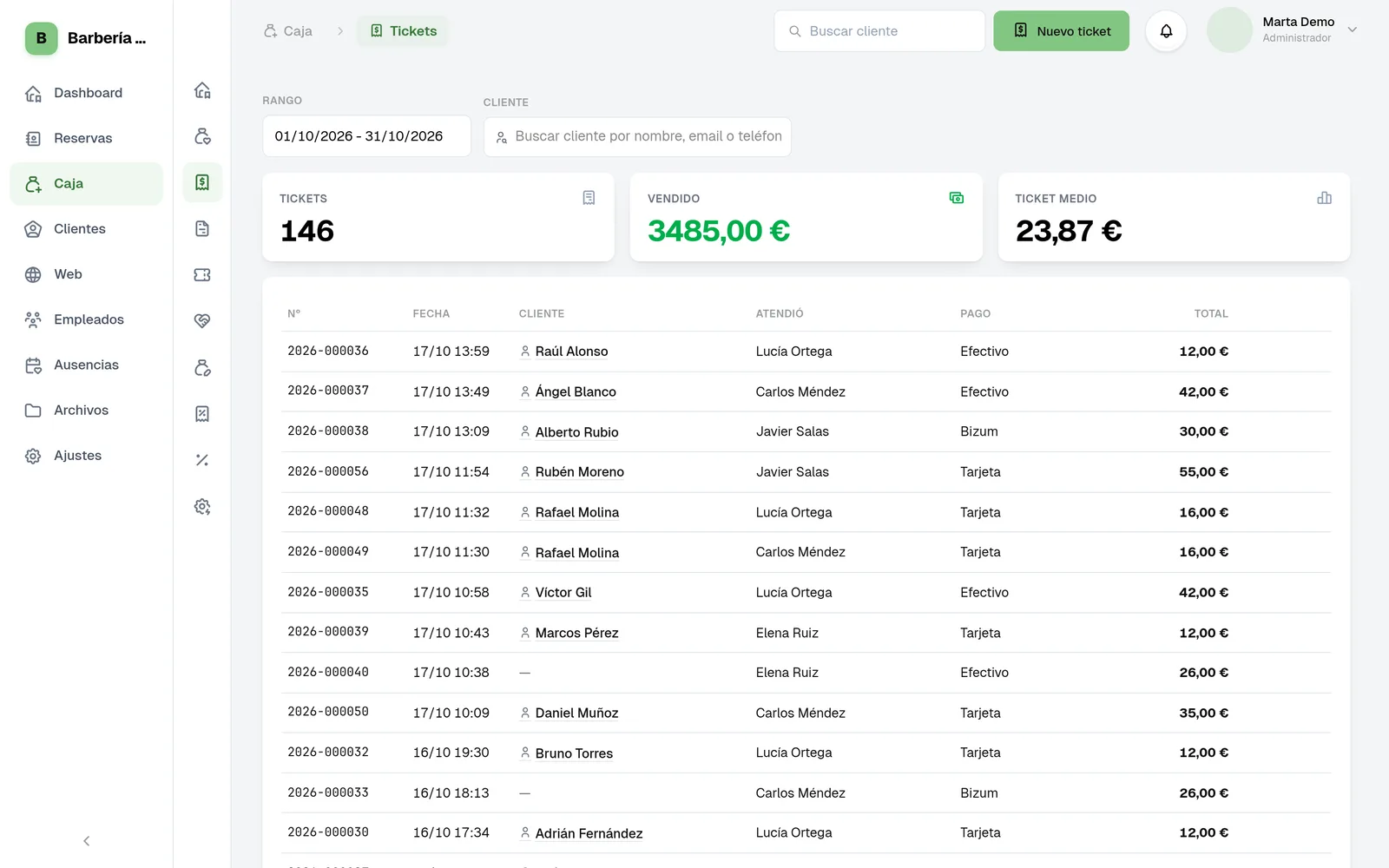
«?» help on every screen and team checkout
Every dashboard screen now has its own «?» help, and checkout separates your figures and your team's from the whole business, now in «Caja › Movimientos».
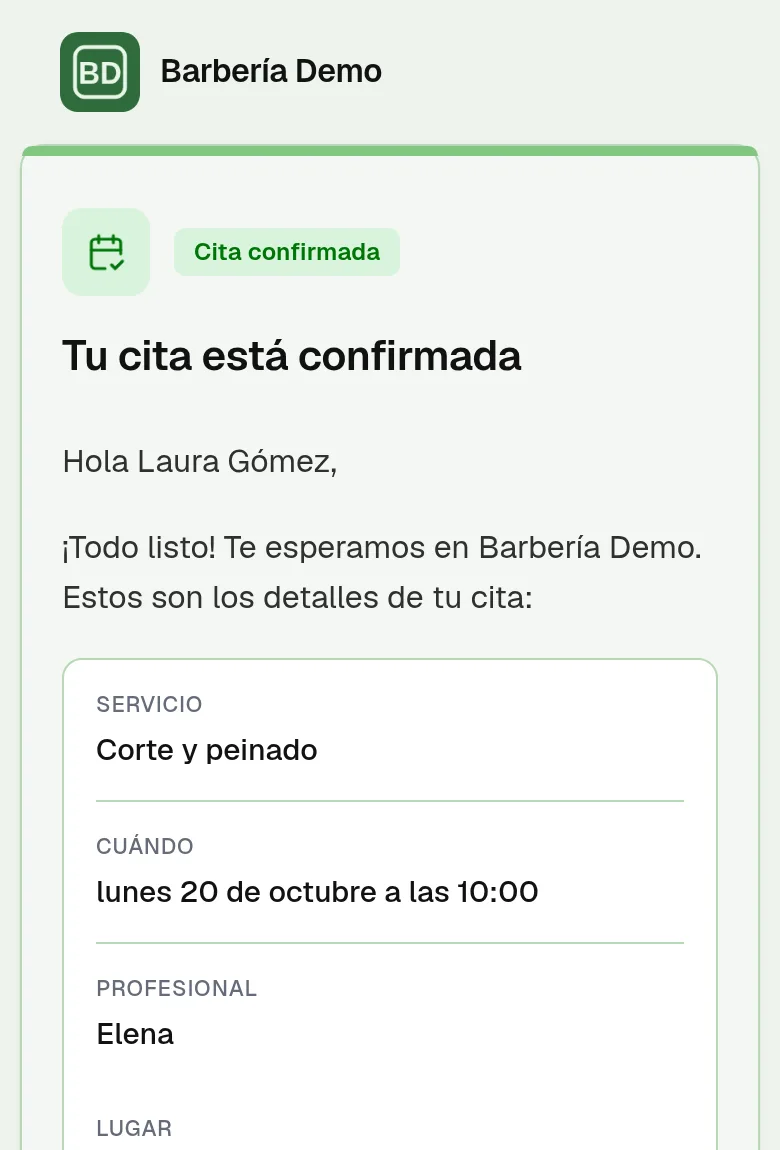
Send emails from your own business address
You can now connect your own email account so confirmations, receipts and notifications go out from your business's address.
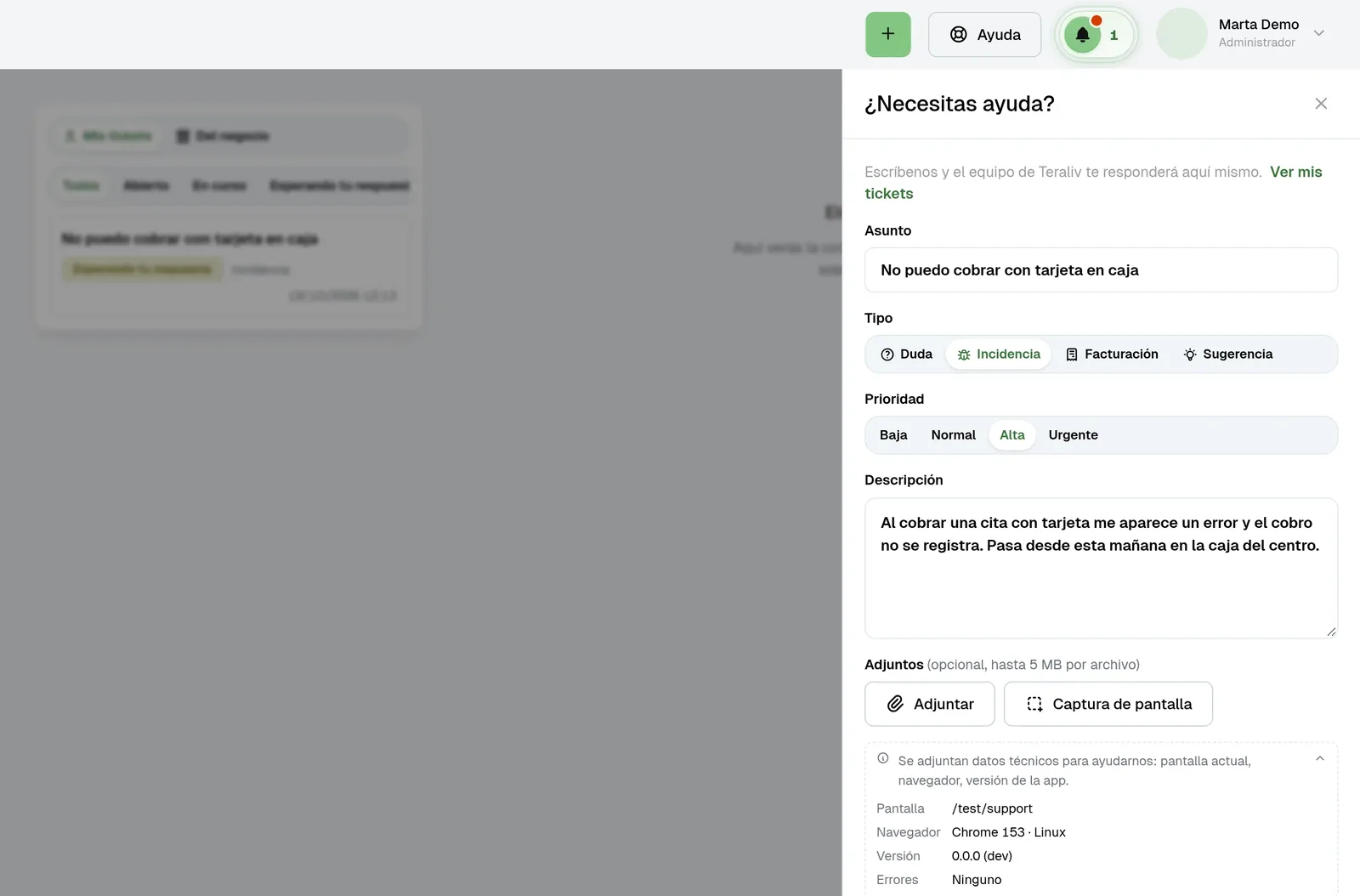
In-app support with the Help button
Click «Ayuda» (Help), tell us what's happening and follow the conversation in «Mis tickets» (My tickets). Your business emails also get a new look with your logo and colours.