Online booking

An online booking system that's open 24 hours a day

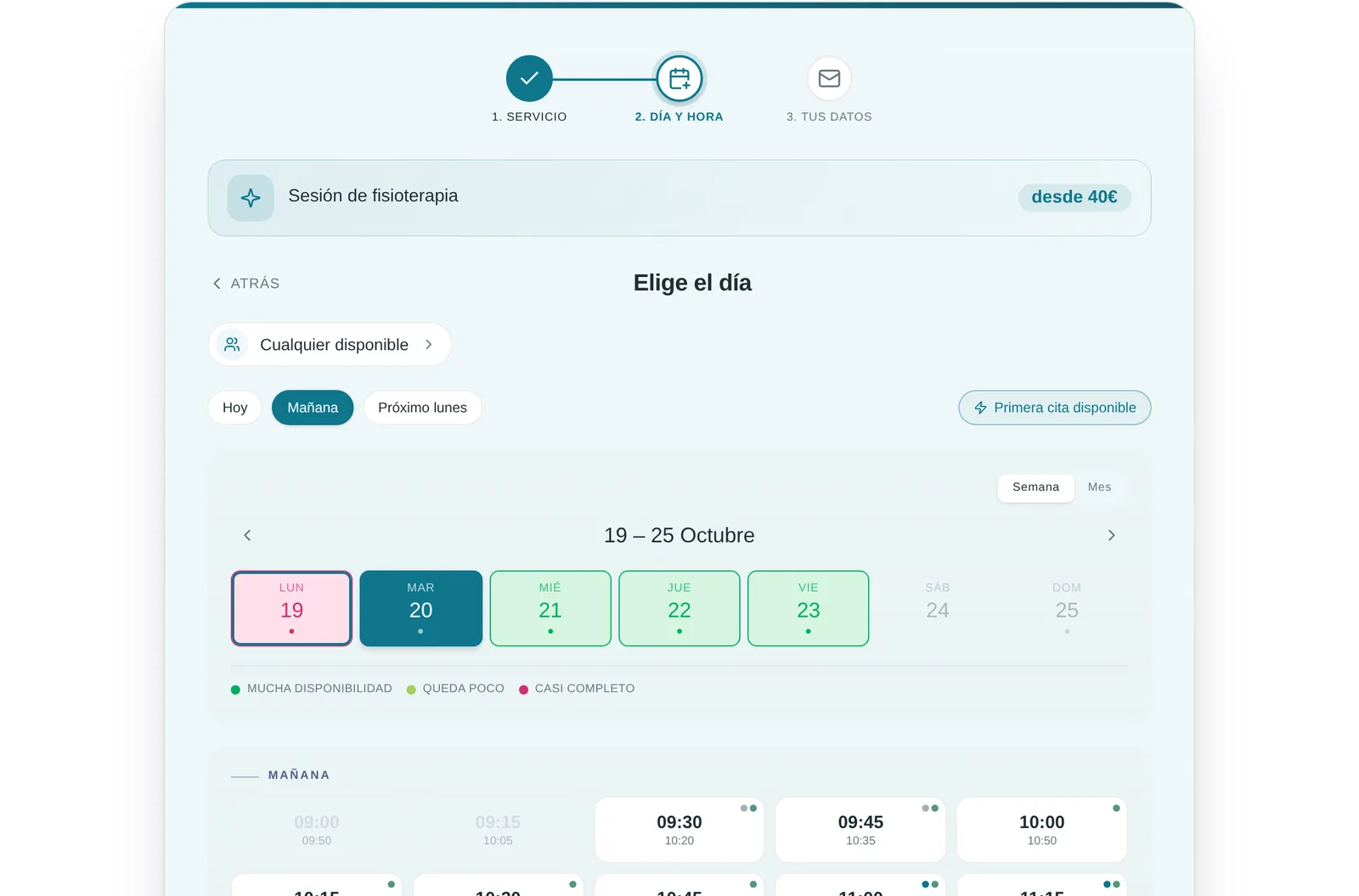
Teraliv's online booking system lets your clients book an appointment from your website, your social media or a link on WhatsApp. They choose the service, professional and time, and you can forget about the phone.

  • Available 24 hours a day
  • Only slots that are genuinely free
  • No app to download
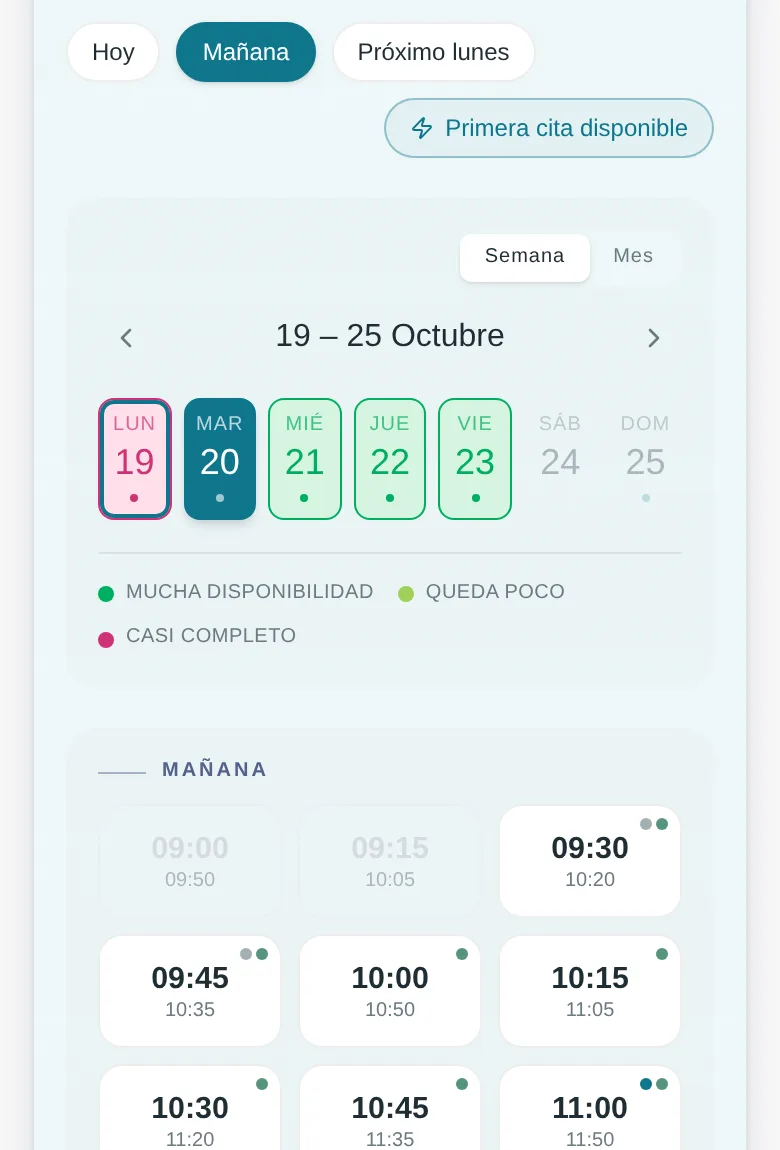
Online booking system with day and time selection

Why your business needs online booking

Most clients want to book when they remember: in the evening, on the sofa or on their way home from work. If the only way to book is to call or send a message, some of those appointments are lost because nobody answers in time or the client gets tired of waiting.

With Teraliv's online booking, each client sees the slots that are genuinely free for the service they want, with the length and price for the professional they choose. The appointment goes straight into your calendar, the client gets a confirmation and, before they come, a reminder. If they can't make it, they change or cancel it themselves from the link in the email and the slot becomes free again.

The widget works on any phone without downloading an app, and fits into your own website, your Instagram bio, your Google Business Profile or a link you share on WhatsApp.

Online booking

From your website to the calendar without a call

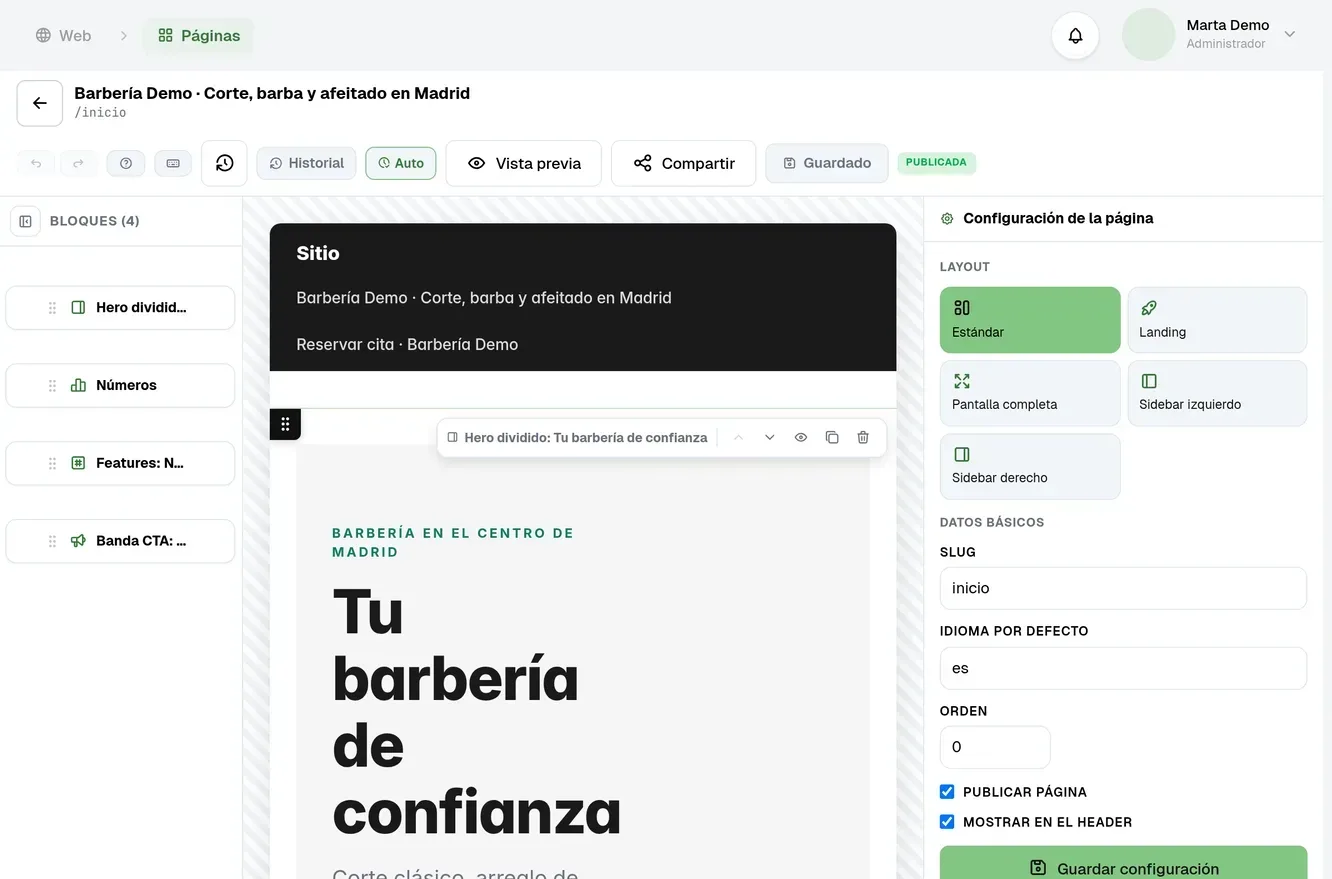
This is how it looks in the panel, step by step.

  1. Service, professional and free time from your website, Instagram or Google.

  2. No overlaps: it respects schedules, durations and closures.

  3. A notice before the appointment and a link to change it.

Online booking

From your website to the calendar without a call

This is how it looks in the panel, step by step.

The client picks and books

Service, professional and free time from your website, Instagram or Google.

It lands straight in the calendar

No overlaps: it respects schedules, durations and closures.

Automatic reminder

A notice before the appointment and a link to change it.

Before and after

Stop losing appointments because you can't answer the phone

Without Teraliv

  • Calls and messages while you're with another client
  • Clients who can't find a slot outside opening hours
  • Forgotten appointments nobody reminds them about
  • Rescheduled appointments that end up as an empty slot
  • Handwritten bookings that overlap
  • Social media messages left unanswered for hours

With Teraliv

  • Clients book in a minute from their phone
  • Your calendar fills up at night and on bank holidays too
  • A confirmation with the appointment for their calendar, and a reminder beforehand
  • Changes and cancellations from a link, and the slot opens up again
  • No way to book a taken slot or a day you're closed
  • A booking link on your social media that answers for you

A typical day

A day in your business with online booking

  1. 01

    23:40 · A client books from the sofa

    They go to your website, choose the service and their usual professional for Saturday, and get a confirmation straight away.

  2. 02

    08:30 · The appointment is already in the calendar

    Teraliv has notified you of the new booking by Telegram or email, and the appointment appears in the professional's column with its exact length.

  3. 03

    Friday · The reminder arrives

    The day before, the client gets a reminder with buttons to add the appointment to their calendar and get directions.

  4. 04

    Friday, 19:00 · A cancellation is filled

    Another client can't make it and cancels from their link. The slot opens up and someone books it that same evening.

  5. 05

    Saturday · Everyone arrives on time

    The client comes to their appointment, your team looks after them and takes payment straight from the calendar with the till.

Try it

Book an appointment and watch the calendar fill up

Pick a service and tap a free time. This is what your client sees, and what you see.

1Choose a service

2Choose a time Try it: tap a time

Appointments today6
Occupancy22 %
AAna
09:30Full service
16:00First visit
DDavid
09:00First visit
16:30Full service
LLaura
11:00Check-up
17:00First visit

Features

What Online booking includes

Booking takes seconds

01Booking widget

Booking takes seconds

Service, professional, day and time in four steps. The widget only shows slots where the service really fits, with each professional's duration and price, and highlights which days have lots or little availability.

  • Works on any phone with nothing to download
  • Price and duration per professional
  • “Any professional” and “first available appointment” options
Put it where your clients already look for you

02Your website and social media

Put it where your clients already look for you

Embed it in your website, link to it from your social media, share it on WhatsApp or use it as the booking link on your Google Business Profile. If you don't have a website, Teraliv builds one for you with booking already built in.

  • Direct link for social media and messaging apps
  • Built into your Teraliv website
  • Runs alongside your current booking platform while you switch
See website & custom domain
Instant booking confirmation, with the appointment in the client's calendar

03Confirmations

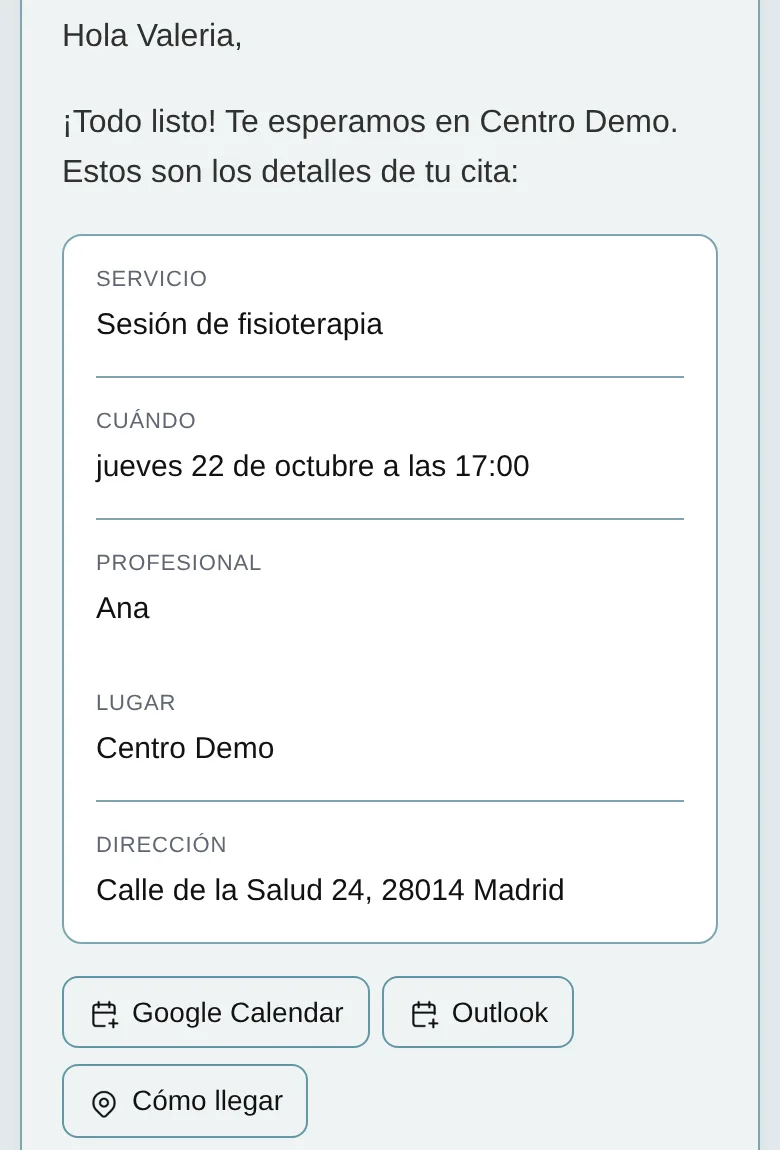
Instant booking confirmation, with the appointment in the client's calendar

As soon as they book, the client gets an email with your business's logo and colours, showing the day, time, service and professional, plus a file to add the appointment to their phone's calendar.

  • Emails with your business's branding and colours
  • Calendar file attached
  • Link to manage the appointment
Automatic appointment reminder to reduce no-shows

04Appointment reminders

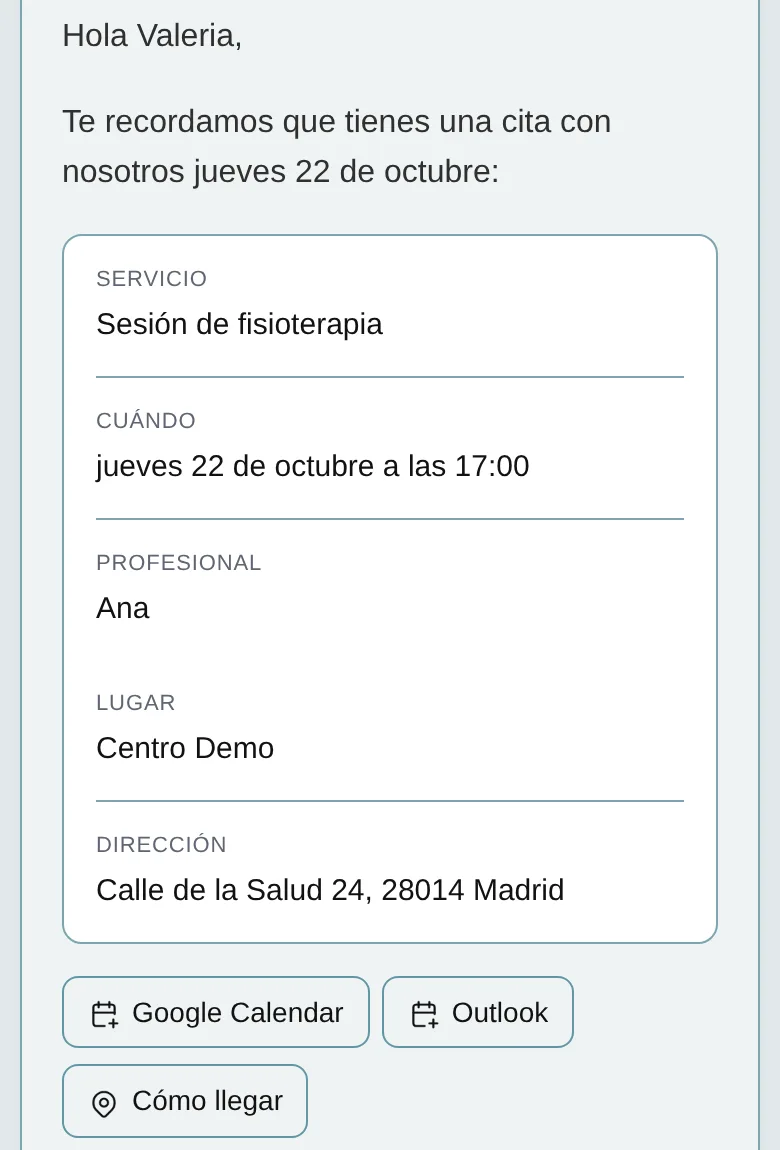
Automatic appointment reminder to reduce no-shows

Before the appointment, Teraliv sends an automatic reminder with buttons to add it to Google Calendar or Outlook and to get directions. That way the client remembers and, if they can't come, changes or cancels it in time instead of leaving you with an empty slot.

  • Add to Google Calendar or Outlook
  • “Get directions” button with the location's address
  • No-show history for each client
Clients reschedule or cancel themselves

05Changes without phone calls

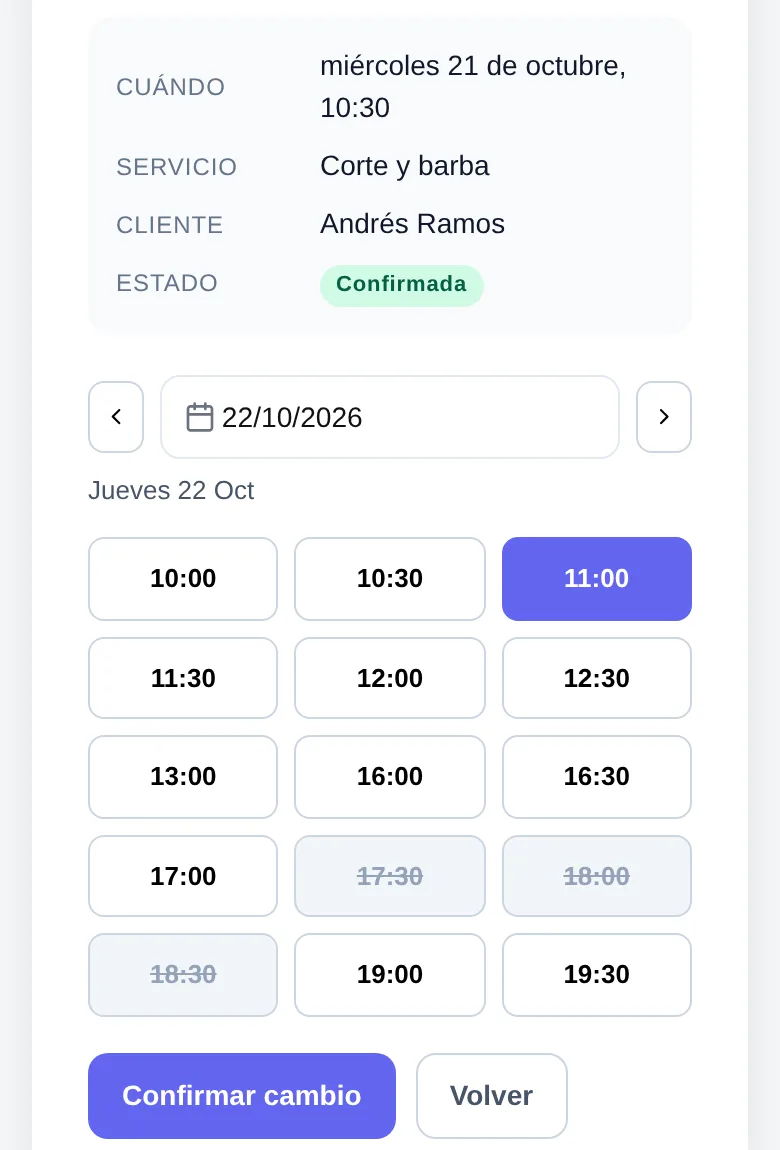
Clients reschedule or cancel themselves

From the link in the email or from their client portal, clients change the date or cancel the appointment up to the deadline you set. The slot becomes available again instantly.

  • Reschedule in one click
  • Cancellation up to the deadline you set
  • Client portal with their upcoming appointments
See clients and portal

And also

More online booking features

Any professional

Clients can choose “any professional” and Teraliv shows them every free slot across your team.

First available appointment

One button takes the client straight to the first free slot for their service.

Notification of every booking

Get every new booking by Telegram or email, plus a summary of the day each morning.

Channel and source

You know whether the appointment came from your website, your social media, Google or the front desk.

Book again

After their appointment, clients can rebook the same service in just a few clicks.

Multiple locations

If you have more than one location, the client chooses where they want their appointment before booking.

Recurring bookings

One appointment every week or every month: the client books once and Teraliv creates the whole series so they don't have to repeat it.

Several services in one visit

The client picks several services, with a professional for each one or «any professional», and Teraliv chains the slots so the visit doesn't overlap.

Online payment for the visit

Ask for a deposit per service —capped at the visit total— or full payment, and deduct it from the ticket at checkout.

Cancellation policy

You set the cancellation window, how much of the deposit is kept for a late cancellation and what happens if the client doesn't show up.

Waitlist

If there's no slot, the client joins the waitlist and Teraliv offers them the one that frees up.

How to get more online bookings and fewer missed appointments

Put your booking link everywhere your clients find you: your Instagram bio, the booking button on your Google Business Profile, your email signature and your WhatsApp auto-reply. The fewer steps a client has to take, the more bookings come in.

List your most popular services online with clear names and their real length. If a service needs an assessment first, make it bookable only at your premises and explain in the description how to request it.

To stop clients from missing their appointments, combine the automatic reminder with a reasonable cancellation window and check the no-show history every so often. A client who often doesn't turn up may need a confirmation call before their next appointment.

Finally, check in your reports which channel your bookings come from. Knowing whether people book more from Instagram, your website or Google helps you decide where to focus your efforts.
Online booking: part of Calendar

Online booking comes with the Calendar module: €2 a month per person, plus Team, the base, at €1 per person. No booking fees and no long-term contract.

FAQ

Questions about online booking

No. The booking widget works in the browser on any phone or computer. They only enter their name and contact details the first time.

Teraliv sends a confirmation and an automatic reminder before the appointment, and clients can reschedule or cancel from the link. We also keep a no-show history for each client, so you know who to keep a closer eye on.

Yes. Copy the link to your booking page and paste it into your Instagram bio, the booking button on your Google Business Profile or your WhatsApp messages.

Yes. You choose which services and professionals appear in the widget. The ones you don't publish can only be booked at the front desk.

The first booking blocks the slot instantly. The second person sees that it has just been taken and picks another time.

You decide the deadline. After it has passed, the client can no longer change or cancel online and has to contact your business.

Yes. While you switch, you can keep both, and Teraliv imports your clients and upcoming appointments. Find out more on our migration page.

Yes. You ask for a deposit per service, capped at the visit total, or full payment. When you charge for the appointment, Teraliv deducts what's already paid and applies the cancellation policy you've set.

Yes. The client picks the services they want and the professional for each one, or «any professional», and Teraliv chains the slots so the visit runs back to back, with a single ticket at checkout.

The client can join the waitlist and Teraliv lets them know when a slot that fits them frees up, with no calls from you.

We don't charge per booking. Online booking is part of your subscription, and the price depends on your team and the modules you choose. See pricing for details.

Shall we talk about your business?

Tell us how many of you there are and what you need, and we'll put together a quote. If you like, we can show you Teraliv on a 20-minute video call.

© 2026 Teralivcontact@teraliv.com