Team & time tracking

Employee time tracking, without the paperwork

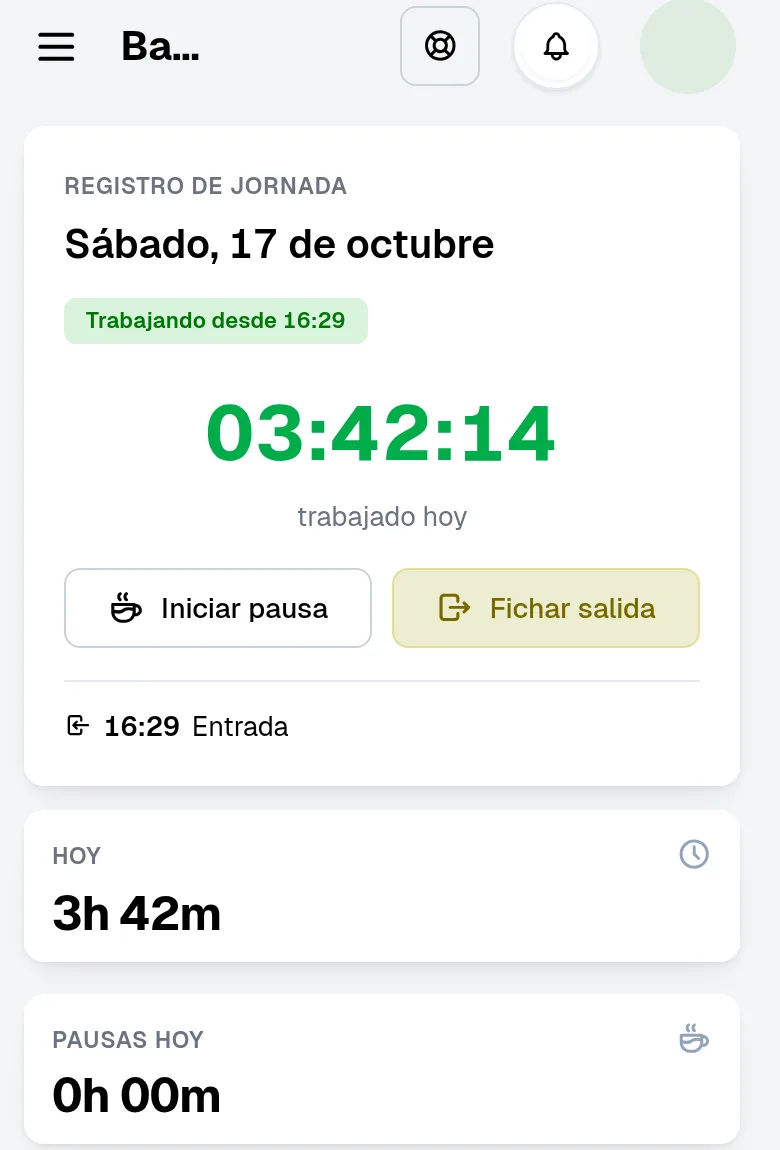
Teraliv's employee time tracking lets each person clock in from their phone or at your location's kiosk. You see who's working, how many hours they've done and whether they're meeting their contracted hours.

  • Working-hours record
  • Clock in by QR code or kiosk
  • Role-based permissions
Employee time tracking with hours worked and balance

Recording working hours is mandatory, in your business too

Spanish law requires every company to record the start and end of each employee's working day, every day, and to keep those records for four years. Doing it on paper sheets is slow, gets forgotten and is hard to check if a labour inspection comes round.

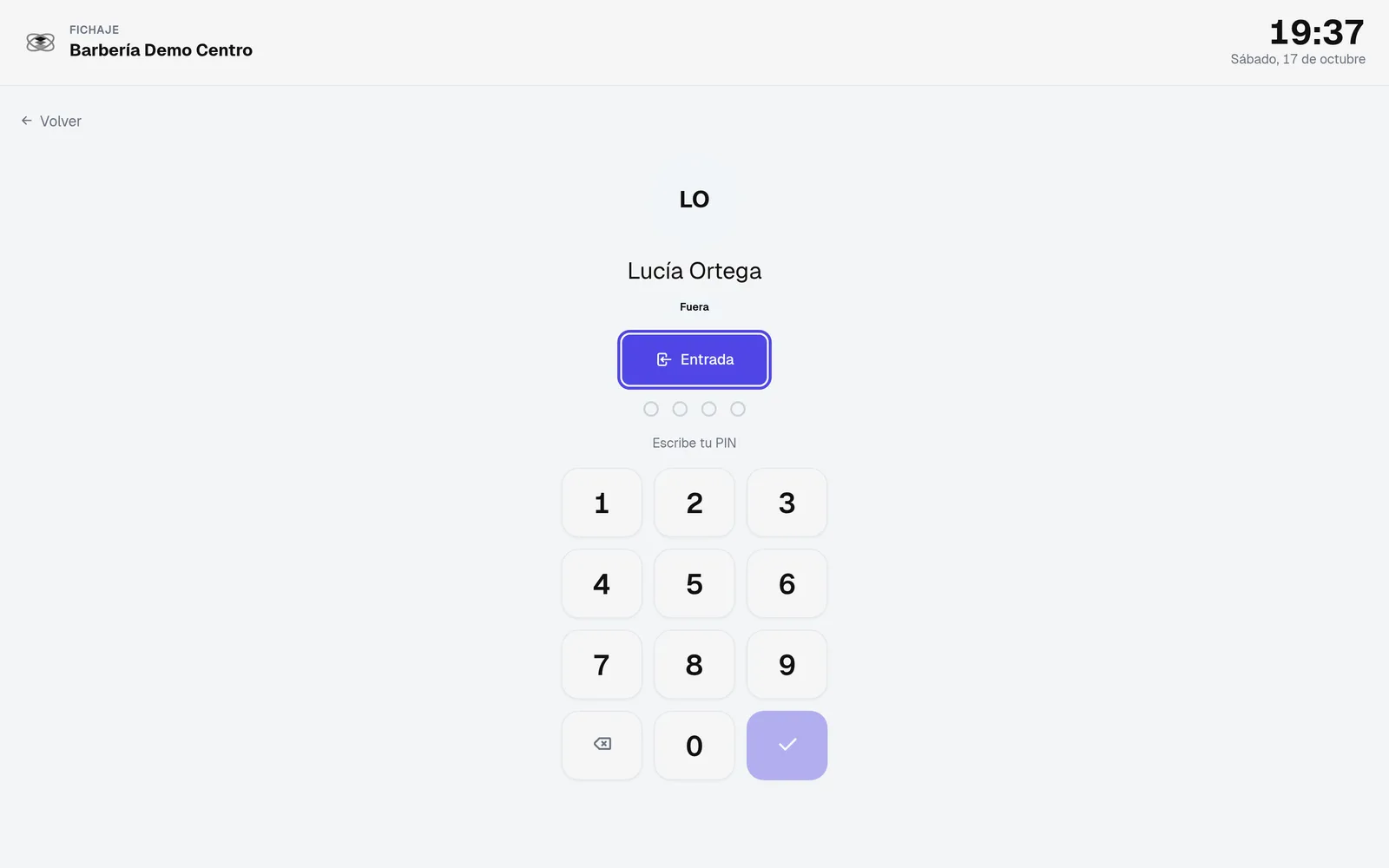
With Teraliv, each person clocks in within seconds from their phone, with the location's QR code or on a tablet that works as a kiosk with a PIN. Each clock-in stores its time and source, and corrections are logged.

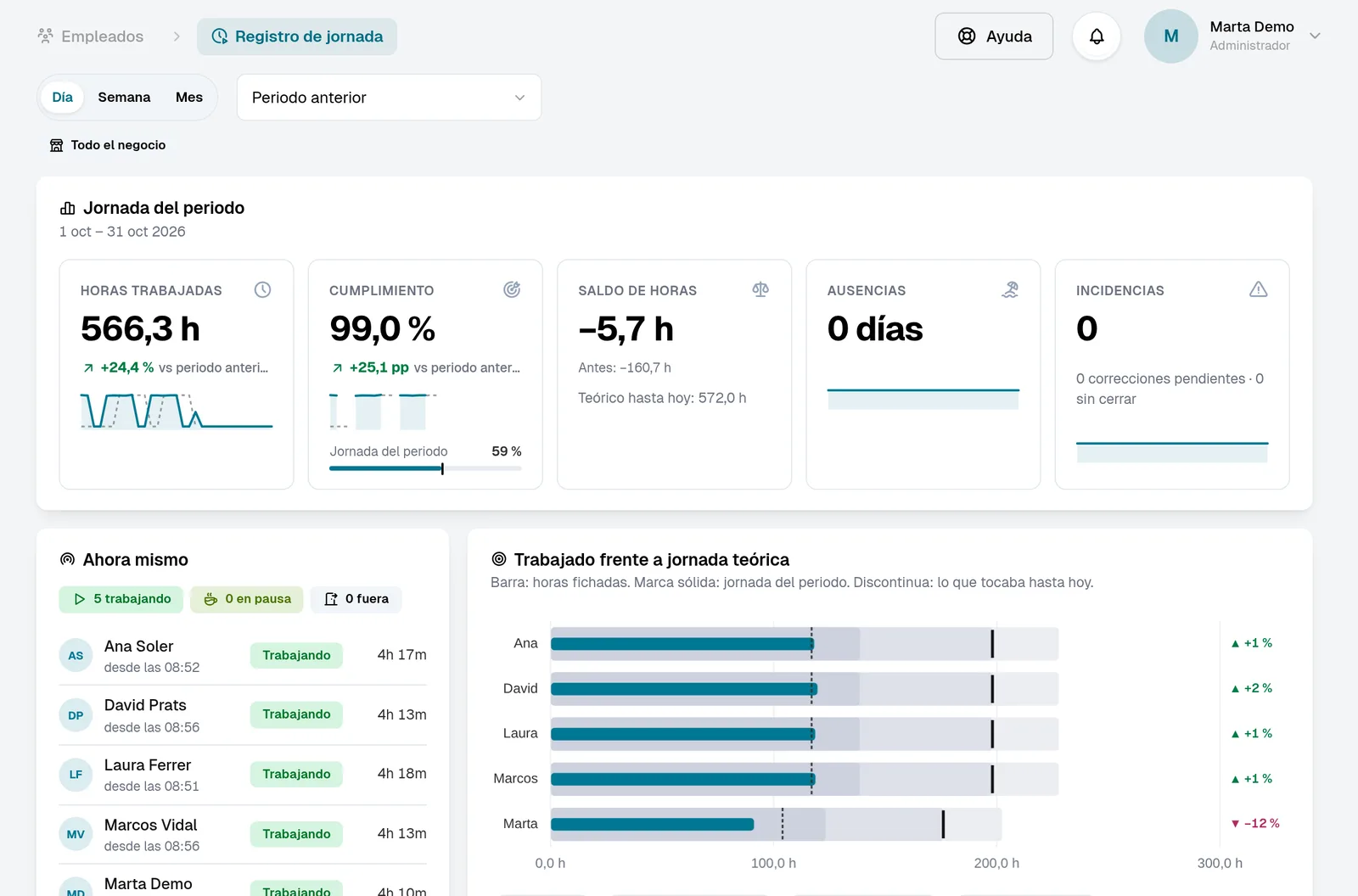
The team dashboard shows you hours worked against contracted hours, the hours balance and any issues, and it's linked to time off and holidays and to the calendar.

Team and clock-in

Your team, coordinated, with working hours recorded

This is how it looks in the panel, step by step.

  1. Who works when, without loose sheets.

  2. Requested and approved in Teraliv.

  3. Everyone signs their documents from their phone.

Team and clock-in

Your team, coordinated, with working hours recorded

This is how it looks in the panel, step by step.

This week's shifts

Who works when, without loose sheets.

Holidays and sick leave

Requested and approved in Teraliv.

Signed contracts

Everyone signs their documents from their phone.

Before and after

Working-hours records without sign-in sheets

Without Teraliv

  • Sign-in sheets nobody fills in on time
  • Overtime nobody knows how to work out
  • Everyone sees all the information in the program
  • Issues you only spot at the end of the month
  • Clock-ins you can't prove
  • Schedules that change and nobody writes down

With Teraliv

  • Clock in within seconds by mobile, QR code or kiosk
  • Hours worked against contracted hours
  • Each person only sees what's relevant to them
  • Issues and corrections logged
  • Every clock-in with its time and source
  • Schedules and work calendar for each person

A typical day

A day in your business with team and time tracking

  1. 01

    08:55 · Arriving at the location

    One team member clocks in at the kiosk with their PIN. Another does it with the location's QR code from their phone.

  2. 02

    09:00 · You see who's working

    The dashboard shows who has clocked in, who's on a break and who hasn't arrived yet.

  3. 03

    14:00 · Lunch break

    Each person logs their break and their return from their mobile.

  4. 04

    18:00 · You fix a missed clock-in

    Someone forgot to clock back in. The manager corrects it and the correction is logged.

  5. 05

    End of month · You review the month

    You see each person's hours worked, contracted hours and balance, ready for an inspection.

Try it

Clock in the way your team would

Clock-in, break and clock-out, with the record up to date.

AR
Ana RuizCentre location
Out
Worked today00:00:00
This week
  • Monday8 h 02 min
  • Tuesday7 h 55 min
  • Wednesday8 h 10 min
  • Today0 h 00 min
  • Total24 h 07 min

Press Clock in.

Features

What's included in Team & time tracking

Hours worked, balance and compliance in the employee time tracking dashboard

01Working-hours record

Hours worked, balance and compliance in the employee time tracking dashboard

A clear summary of the hours clocked, the hours that were due and each person's balance. You can see who's working right now and any outstanding issues.

  • Hours per person and week
  • Hours balance
  • Who's working right now
Clocking in as easy as walking through the door

02Kiosk and QR code

Clocking in as easy as walking through the door

Set up a tablet at your location as a clock-in kiosk with a PIN or use a QR code. People can also clock in from their phone with their location.

  • PIN kiosk
  • Location QR code
  • Clock-in with geolocation
Each person's clock-ins on their mobile

03From your mobile

Each person's clock-ins on their mobile

From their mobile, each professional clocks in and sees their hours for the month, their balance and their time off, without having to ask anyone.

  • Clock in, break and clock out
  • My hours and my balance
  • My time off
Staff schedules and work calendar

04Schedules

Staff schedules and work calendar

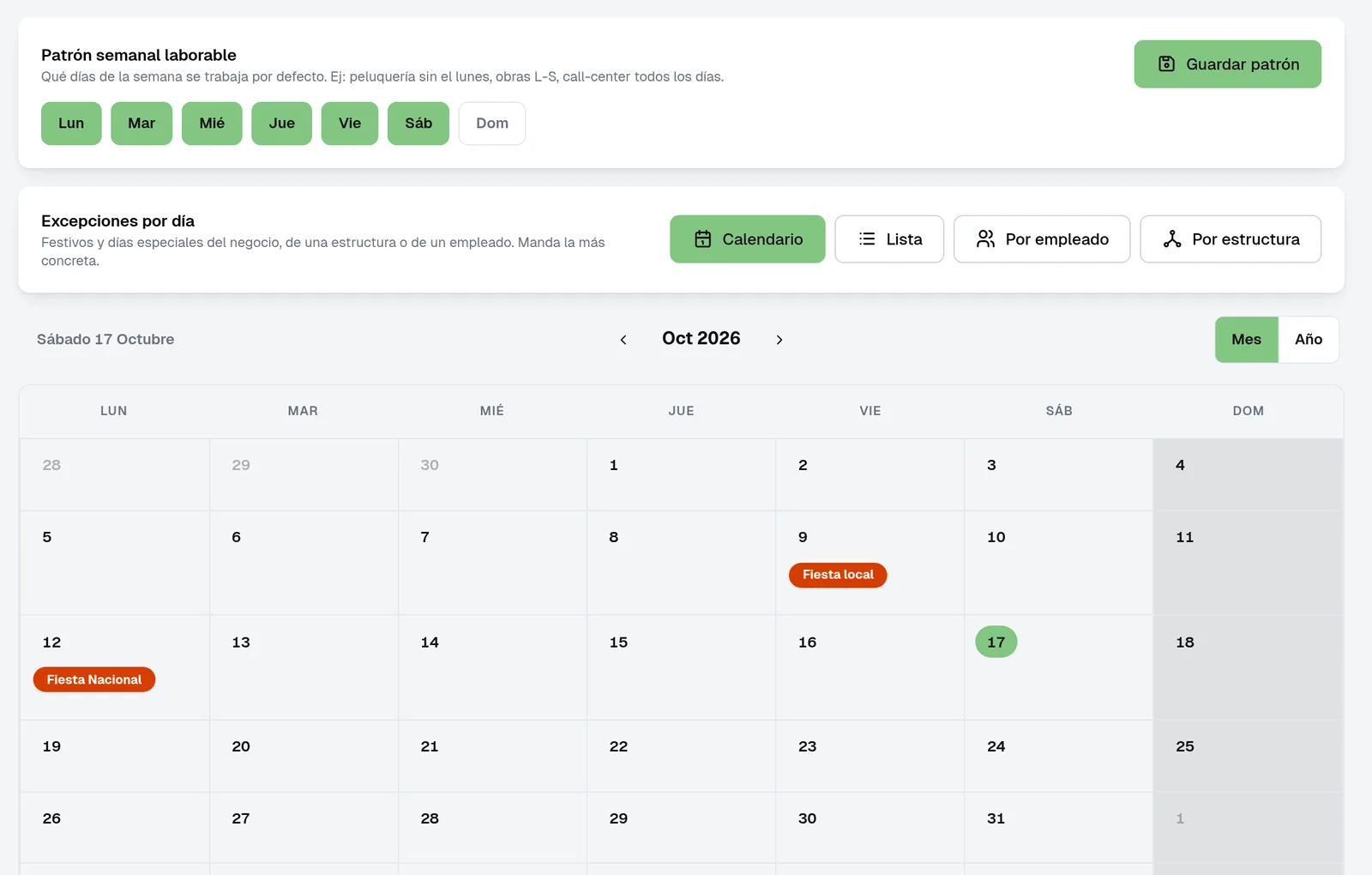
Set each person's working hours and each location's working calendar. Managers can adjust specific days when something changes.

  • Schedule per person
  • Working calendar per location
  • Team views for managers
See time off & holidays

And also

More team and time tracking features

Role-based permissions

Decide what each person can see and do based on their role and location.

Structure and locations

Organise your team by location and manager.

Geolocation

Clock-ins from a mobile can record the location.

Issues

Open clock-ins and pending corrections, all in plain sight.

Hours bank

Each person's hours balance, always up to date.

Hours reports

Hours per person and week, with issues.

How to introduce time tracking in your business

Mandatory time tracking means recording each employee's start and finish times every day. The simplest approach is to choose a single system for the whole team: the kiosk on a tablet if you always work at the same location, or phones with a QR code if you have several locations.

Explain to your team that the working hours record protects them too: each person sees their hours, their balance and their time off, and corrections are logged with who made them.

Set up each person's working hours and each location's working calendar properly. With that data Teraliv works out the contracted hours and compares them with the hours clocked, so overtime and issues show up automatically.

Review issues every week instead of waiting until the end of the month. A forgotten clock-in can be fixed in seconds if it's spotted in time, and you'll have the record ready if a labour inspection comes round.
Team: €1 a month per person

Team is the base of Teraliv: people, permissions, schedules and clock-in for €1 a month per person. On top of it you add the calendar, the till and the other modules.

FAQ

Questions about Team & time tracking

Yes. Spanish law requires every company to record the start and end of its employees' working day, every day, and to keep the records for four years, whatever its size or sector.

Teraliv stores every clock-in with its time, its source and any corrections made, and you can view the record by person and period.

No. Each person's phone or a tablet you already have at your location as a kiosk is all you need.

Each location has its own QR code. The person scans it with their phone and the clock-in is recorded at that location.

Yes. Each person sees their clock-ins, their hours balance and their time off, and managers see their team.

The manager can correct the clock-in and Teraliv keeps the correction alongside the original record.

Yes. Each location has its own QR code, kiosk and working calendar, and you can see them all together.

In Spain, four years. In Teraliv, clock-ins are stored with their corrections and you can look them up whenever you need.

Shall we talk about your business?

Tell us how many of you there are and what you need, and we'll put together a quote. If you like, we can show you Teraliv on a 20-minute video call.

© 2026 Teralivcontact@teraliv.com